> ## Documentation Index
> Fetch the complete documentation index at: https://docs.schedo.dev/llms.txt
> Use this file to discover all available pages before exploring further.
# Notifications
> Learn about notification settings and behavior
Notifications in Schedo.dev help you stay informed about job failures and system events. The system is designed to keep you updated while avoiding notification fatigue.
Schedo.dev follows a smart notification policy:
* Notifications are sent only for the first failure of a job
* Subsequent failures of the same job won't trigger additional notifications
* This prevents notification spam while ensuring you're aware of issues
```typescript theme={null}
// Example job that might trigger a notification
schedo.defineJob(
'daily-report',
'0 0 * * *',
async (ctx) => {
// If this fails, you'll get a notification
// Subsequent failures won't trigger more notifications
await generateReport();
}
);
```
## Notification Management
### Muting Jobs
You can mute notifications for specific jobs:
1. Navigate to the job details page
2. Click the "Mute" button
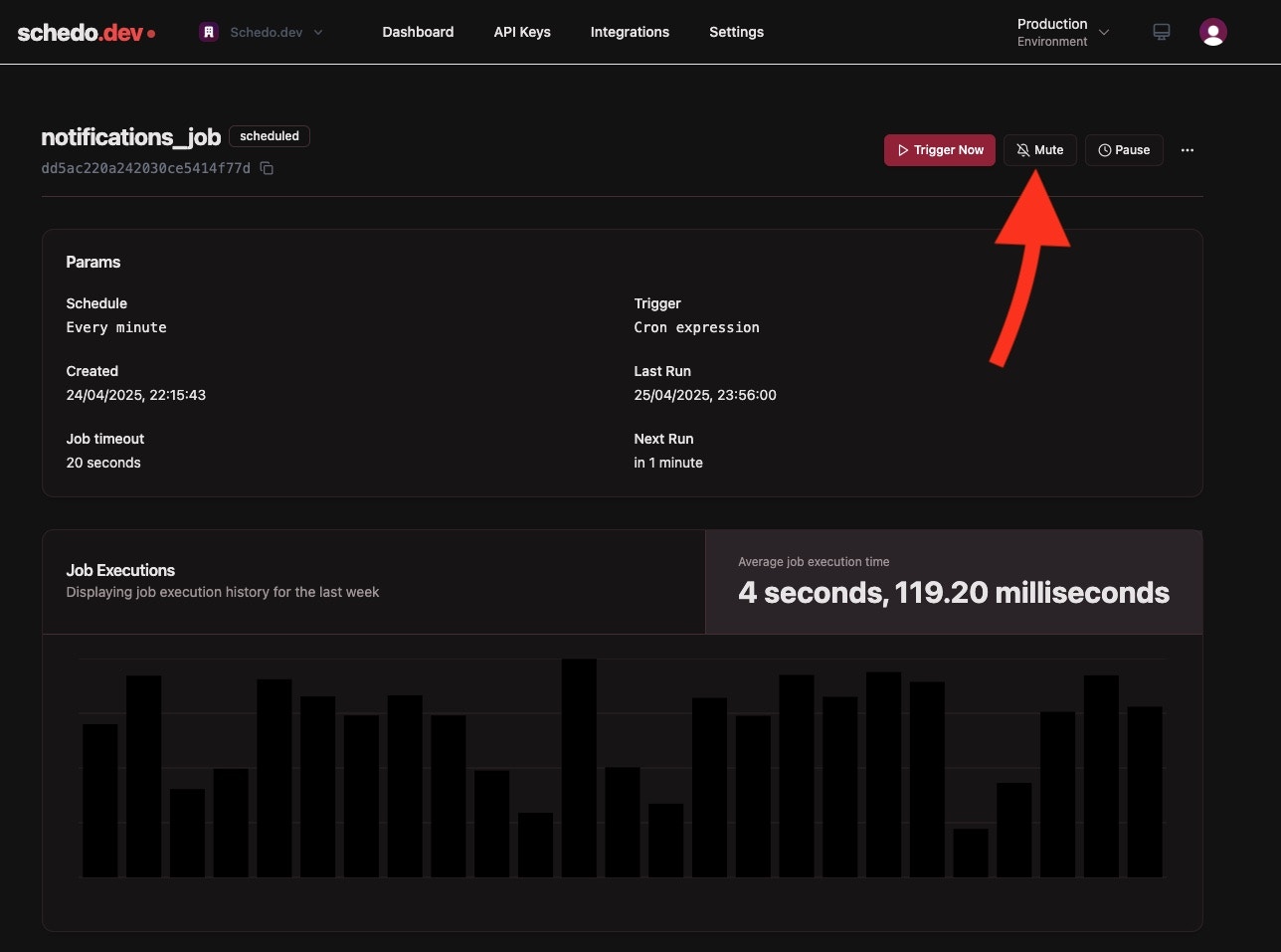 The job will no longer send notifications for failures
### Email Configuration
Notification emails are sent to a configurable list of recipients:
1. Go to the Settings tab
2. Add or remove recepients
The job will no longer send notifications for failures
### Email Configuration
Notification emails are sent to a configurable list of recipients:
1. Go to the Settings tab
2. Add or remove recepients
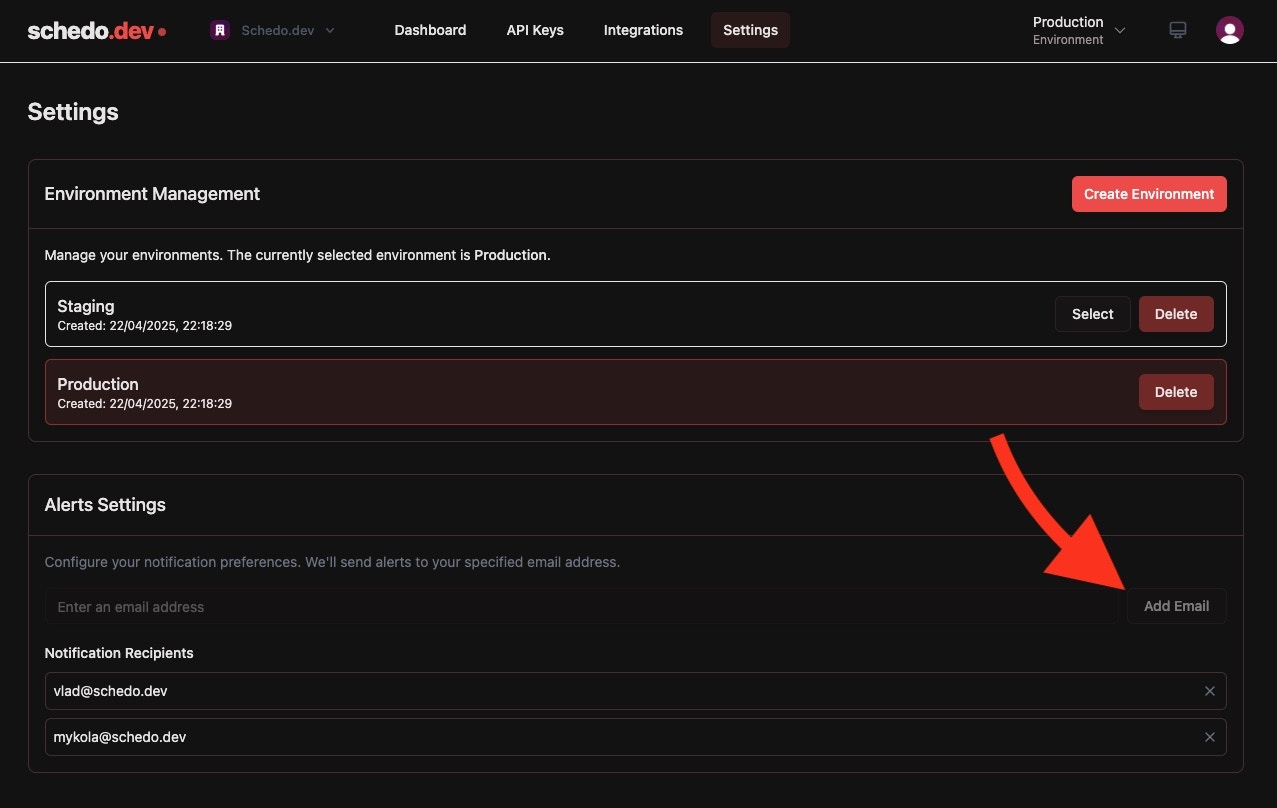 Important: The email list is shared across all environments in your account. Changes to the list will affect all environments.