> ## Documentation Index
> Fetch the complete documentation index at: https://docs.schedo.dev/llms.txt
> Use this file to discover all available pages before exploring further.
# Monitoring
> Monitor your job executions
Schedo.dev provides basic monitoring capabilities for your scheduled jobs.
## Job Status
Track basic job execution status:
```typescript theme={null}
schedo.defineJob(
'example-job',
'* * * * *',
async (ctx) => {
// Job implementation
return 'Job completed successfully';
}
);
```
## Execution Context
Access basic execution information in the job context:
```typescript theme={null}
schedo.defineJob(
'context-example',
'0 * * * *',
async (ctx) => {
// Access execution context
console.log('Job execution:', {
jobCode: ctx.jobCode,
executionId: ctx.executionId
});
// Access job metadata
const metadata = ctx.getMetadata();
console.log('Job metadata:', metadata);
return 'Job completed';
}
);
```
## Best Practices
1. **Basic Status Tracking**
```typescript theme={null}
async (ctx) => {
try {
await operation();
return 'Operation completed successfully';
} catch (error) {
throw error;
}
}
```
2. **Execution Context**
```typescript theme={null}
async (ctx) => {
console.log('Starting job:', {
jobCode: ctx.jobCode,
executionId: ctx.executionId
});
await processData();
return 'Job completed';
}
```
## Job Execution Details
For each job execution, you can view detailed execution information:
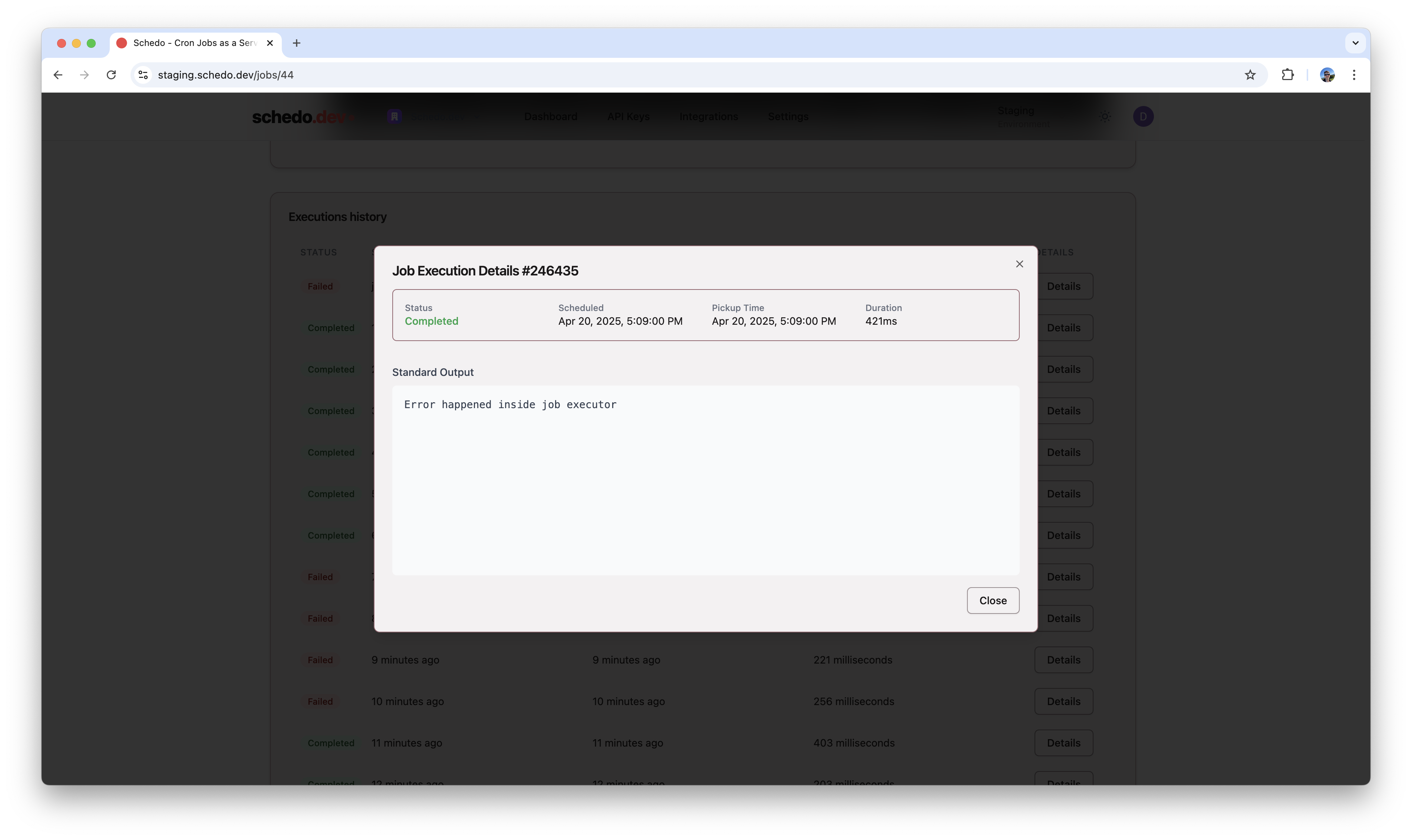 The execution details show:
* Execution status (Completed/Failed)
* Scheduled and actual execution times
* Duration
* Standard output from the job
* Any error output if applicable
## Next Steps
Learn about handling job failures
Learn about job definitions
The execution details show:
* Execution status (Completed/Failed)
* Scheduled and actual execution times
* Duration
* Standard output from the job
* Any error output if applicable
## Next Steps
Learn about handling job failures
Learn about job definitions